Context before data
Ask what kind of work is being planned before deciding what weather information matters.
02 / Product Design + Development
2026
A trade-focused weather tool built around the actual decisions concrete and masonry contractors make before starting work.
Product Design / React / TypeScript / API IntegrationProduct premise
01 / The Problem
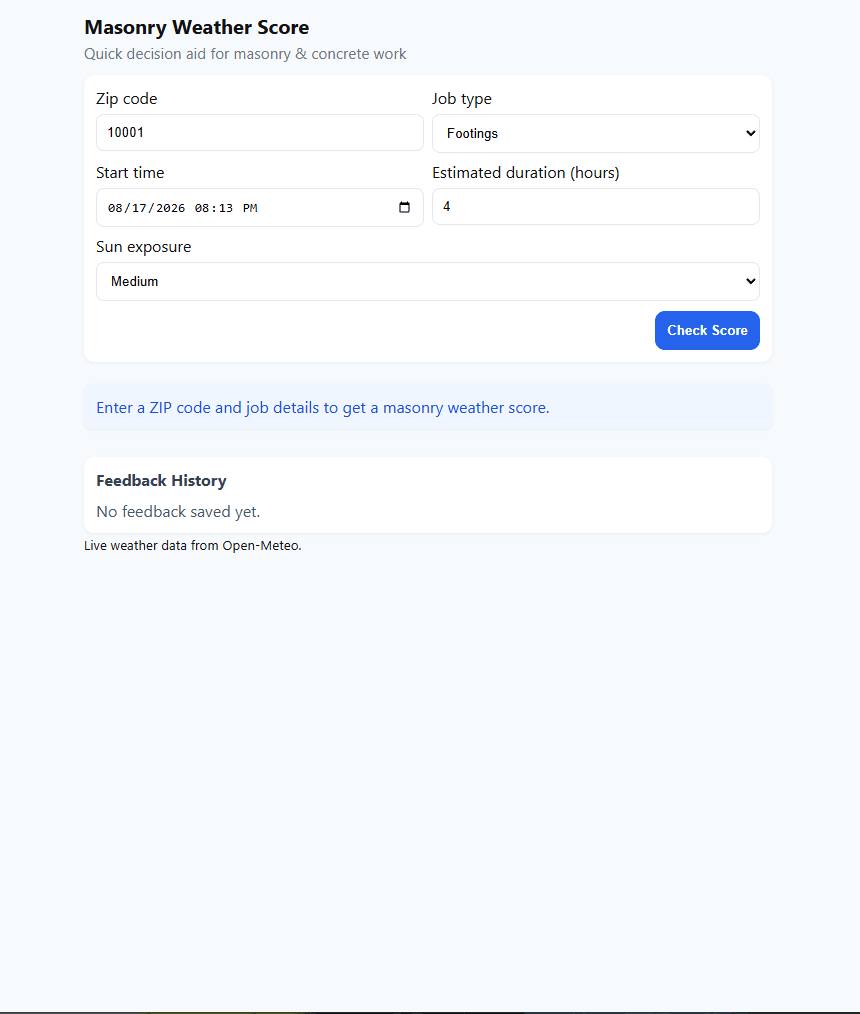
Temperature, rain, wind, humidity, and sun exposure can all matter when planning concrete and masonry work. The challenge was turning those conditions into something more useful than a generic forecast.
Core product question
Can this work reasonably be done under these conditions?Decision support / Not an absolute guarantee
02 / Job Context
Inputs that change the interpretation
03 / Decision Layer
The application combines job context with forecast conditions and translates them into a clearer recommendation rather than asking the user to interpret raw weather data alone.
Input → evaluation → output
04 / The Output
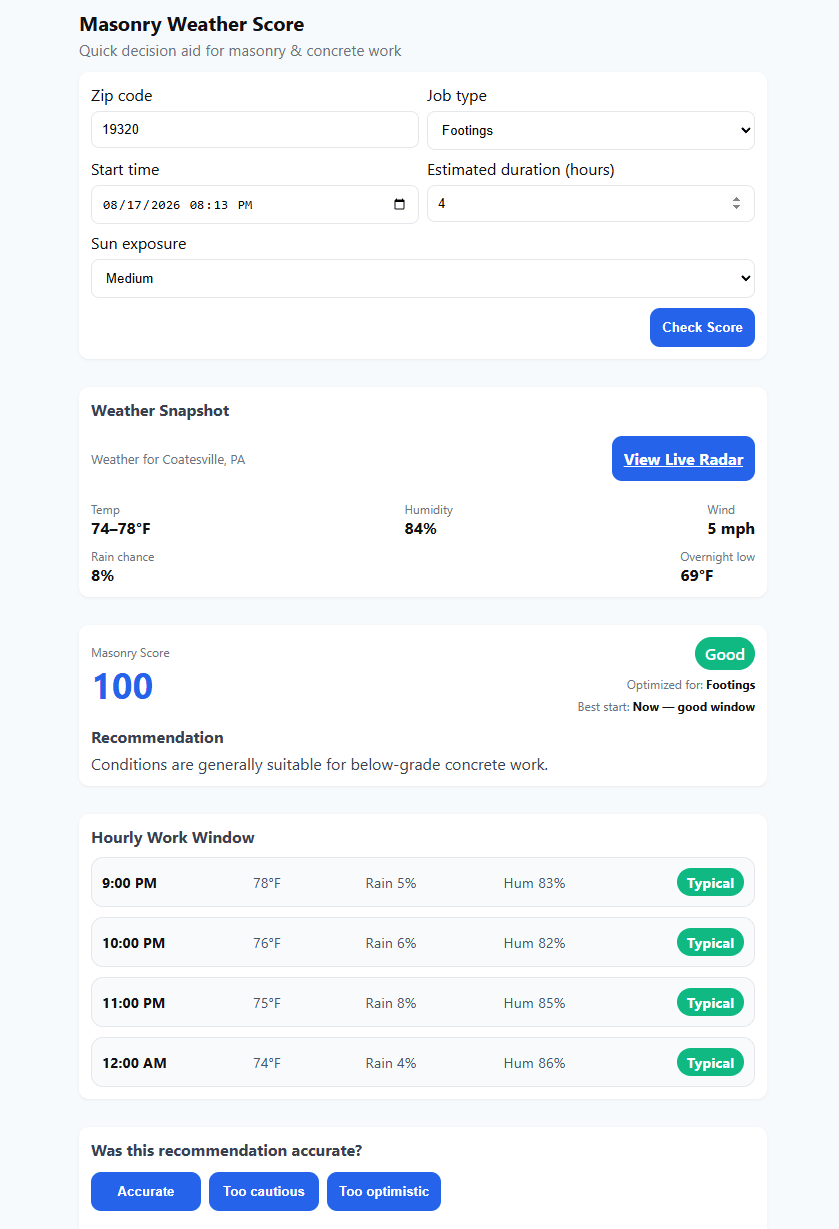
The result brings the most relevant information together: current conditions, an overall masonry-focused score, a recommendation, and an hourly view of the planned work window.
Result anatomy
05 / Time Matters
The planned start time and job duration matter because conditions can change while the work is happening. The hourly work window keeps the recommendation tied to the period when the contractor actually expects to be outside.
Planned work window
06 / Feedback
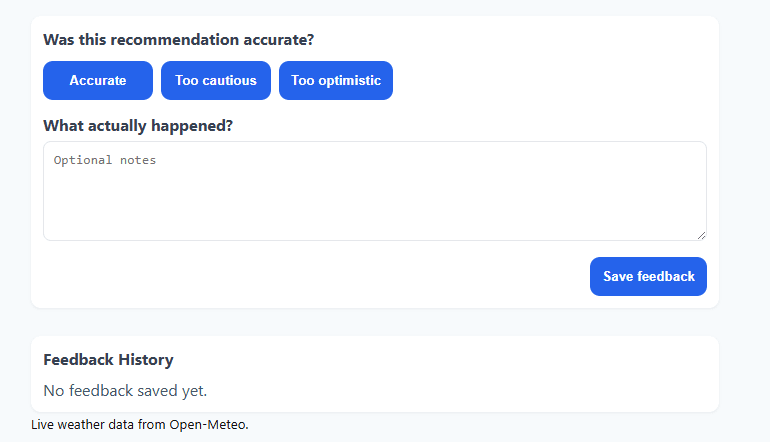
The feedback flow gives the user a way to record how the recommendation matched the actual job conditions, creating a foundation for improving the usefulness of the scoring system over time.
07 / Product Thinking
Ask what kind of work is being planned before deciding what weather information matters.
Surface the practical recommendation prominently instead of making the user interpret every weather metric first.
Evaluate the period when the work is actually expected to happen rather than treating the entire day as one condition.
Give the user a way to compare the recommendation with what actually happened.
08 / Build
The application uses location and weather data APIs, combines that information with user-provided job context, and presents the result through a responsive React and TypeScript interface.
Implementation
09 / Outcome
The finished prototype turns location, timing, job context, and live weather conditions into a more focused view of whether conditions appear suitable for planned concrete or masonry work.
Complete product loop